The best asset register in the world is useless if nobody can match a physical device to its record. The label is the bridge, and it is usually the cheapest part of the system, which is why it is so often done badly.
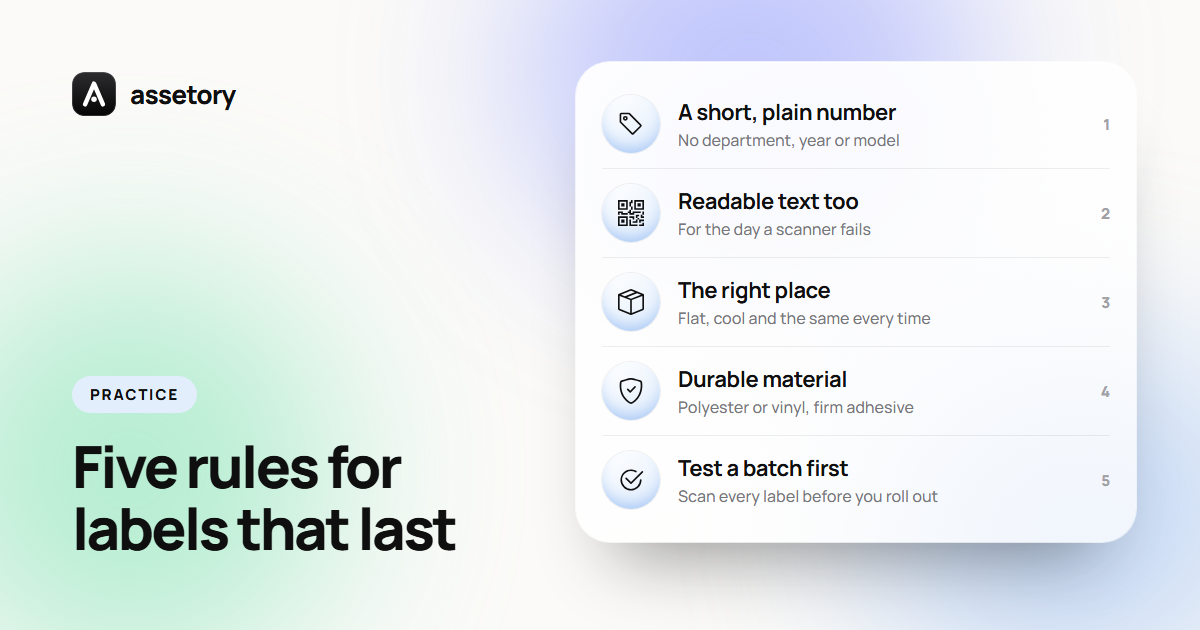
What a label has to do
A good label does three jobs. It identifies the device without any lookup, so a person can read the number and find the record. It lets a phone or scanner open the record in a second. And it keeps doing both after years of heat, cleaning, handling and being dropped into bags. Most failures come from designing only for the first day.
Numbering that ages well
Keep the tag number short, unique and meaningless. Do not encode the department, the year or the model in it, because all of those change. A plain running number, optionally with a short prefix, will still make sense in ten years.
- Use one numbering scheme across the whole company.
- Print the number in readable text as well as in the code, for the day a scanner will not cooperate.
- Never reuse a number, even for a retired device.
If you operate from several offices, a short prefix for the site is acceptable, because a device rarely changes its original owner. Just resist the urge to build a code with five parts. People mistype long codes, and nobody can remember them.
Where the label goes
Put it where it can be read without moving the device and where it will not be touched daily. On a laptop that is usually the underside or the inside of a service panel. On a monitor, the back of the stand. Avoid curved surfaces, textured plastic and anything that gets warm.
Be consistent. If every laptop has its label in the same corner, an auditor learns where to look and the walk gets faster. Write the placement rule down for each device type and give it to whoever applies the labels.
Choosing the material
Material matters more than you expect. Standard paper curls in a bag. Polyester or vinyl labels with a strong adhesive survive cleaning, heat and handling. Test a few on real equipment for a month before buying thousands.
- Laptops and phones: thin polyester that sits flat and does not catch on bags.
- Servers and network gear: heat-resistant labels, placed away from vents.
- Furniture and large equipment: tougher vinyl with a clear laminate over the print.
Always clean the surface with an alcohol wipe before applying, and press firmly for a few seconds. Most labels that peel were applied to a dusty surface.
QR code or barcode
A QR code holds more and tolerates scratches better, since it carries error correction. A 1D barcode is fine where you already have scanners. Whatever you choose, leave a clear border around the code and keep it big enough for a phone camera at arm's length.
Print the number in readable text as well as in the code, for the day a scanner will not cooperate.
Small items and accessories
Not everything deserves its own tag. A mouse or a charger usually costs less than the label and the time to apply it. Track those as counted stock instead, with quantities and a minimum level, and tag only items that have a serial number, a real cost or a person responsible for them. This keeps the register useful and the labelling effort sensible.
Label a batch the first time
- Decide the numbering scheme and write it down.
- Choose the label material and test two or three on real devices.
- Print one sheet and scan every label with the phones your team uses.
- Apply labels in a single session, and record each device as you go.
- Walk the floor a month later and note which labels came loose.
The point of that last step is to learn cheaply. A weak label found in month one costs a reprint. Found in year three, it costs an audit.
Keep spare labels and a replacement routine
Labels will fail eventually, so plan for it. Keep a small stock of pre-printed spares in a known place, and make replacement a normal task: when someone finds a damaged label, they scan or type the old number, print the same one and apply it. The device keeps its identity and the history stays attached to it. A label that is quietly replaced with a different number is how duplicates and ghost assets start.
Common questions about asset tags
Should the tag number match the serial number?
No. Serial numbers are long, vary by manufacturer and can be duplicated across brands. Keep the serial as a separate field and use your own short tag as the number people read out loud and type into a search box.
How big should a QR code label be?
A code about two centimetres square scans reliably from arm's length on most phones. Smaller codes work with a close scan but frustrate people, so keep the size generous and let the readable number sit beside the code.
Can we reuse labels from devices we retire?
Do not reuse the number, and do not peel and re-stick the label. A new unit should always get a new tag, so that the history of the old device stays clean and nobody mistakes one machine for another in a report.
What if a device has no good place for a label?
Choose the least bad flat surface and add a second label on the box or the docking station if there is one. For items such as projectors or tools, a small tag on a cable or a strap is better than none. The aim is that a person can always find some identifier within a few seconds.
Do we need to label things that never leave the building?
Yes, if they have value or a person responsible for them. Fixed equipment is exactly what an auditor wants to confirm, and a label is what turns a vague description such as "the grey printer on the second floor" into a record that cannot be confused with another.
Should the label show the company name?
A small logo or the company name is helpful, because it tells a finder who to return a lost device to. Keep it small so that the number and the code stay the most prominent things on the label.
Want to see this in practice? Explore Labels & QR codes in Assetory, or book a demo.