People join and leave all year, and every move touches equipment: a laptop, a phone, a few accessories, a handful of software seats. When this is handled from memory, things go missing in both directions. New starters wait, and leavers keep devices that quietly leave the books.
Why a checklist beats memory
Onboarding and offboarding are repetitive, which is exactly why they go wrong. The person doing the job is often busy, the list of items differs by role, and nobody notices a missing charger until the first day. A checklist turns a fresh decision into a routine, and a routine can be handed to anyone on the team.
It also protects both sides. A new starter gets a working setup on day one. The company gets proof of what was handed over, which matters if something is lost or damaged later.
Before the first day
The goal is that everything is ready and recorded before the person arrives. Decide what each role gets, and write it as a standard bundle rather than a fresh decision every time.
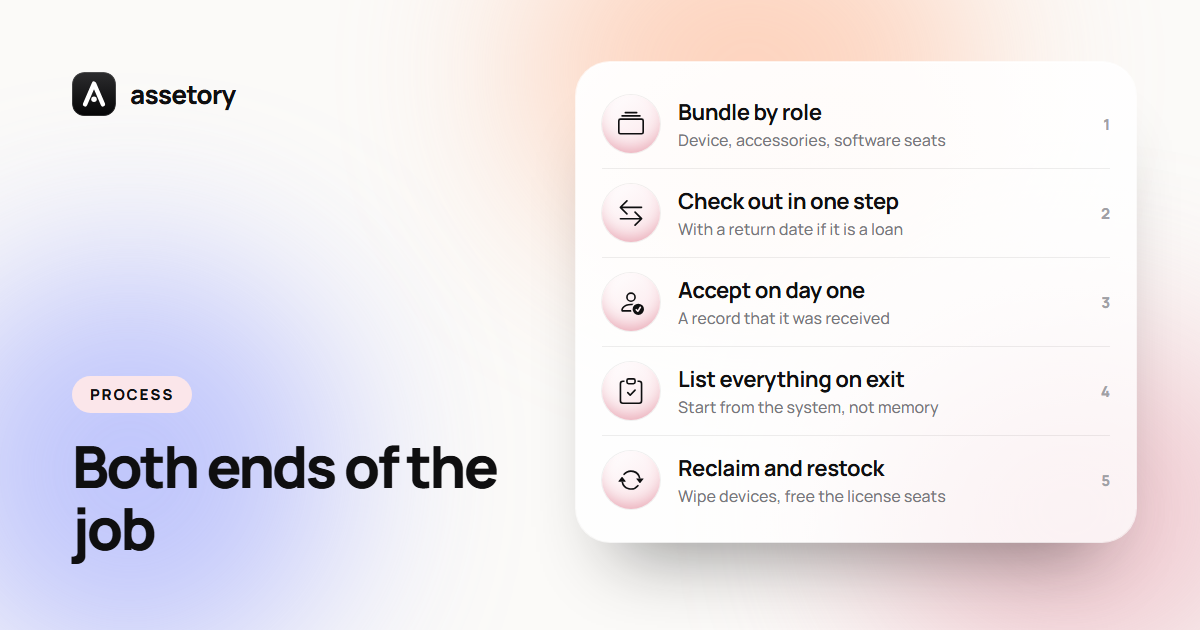
- Pick the bundle for the role: device, accessories, software seats.
- Confirm each item is available and in a deployable status.
- Check the items out to the new person in one action, with an expected return date if it is a loan.
- Ask the person to accept the items, so there is a record that they received them.
Build bundles by role, not by person
The fastest way to ruin onboarding is to decide each setup from scratch. Define a small number of standard bundles, for example a standard office laptop kit, a developer kit with a stronger machine, and a field kit with a phone and a rugged case. Each bundle lists the model, the accessories and the software seats it needs.
Review the bundles when you buy new models. When a laptop model is replaced, update the bundle once and every future joiner gets the new one. This also keeps your purchasing tidy, because you can see how many kits of each type you need to have ready.
The first week
Onboarding does not end when the box is handed over. Make sure the person can sign in, that their license seats actually work, and that they know whom to ask for help. Capture any change on the day: if the standard monitor was swapped for a different one, update the record now, not at the next audit.
During employment
Keep the record honest. When a device is swapped, repaired or moved, change the record the same day. A register that is a month behind is a register nobody trusts.
Role changes count too. When someone moves from sales to finance, their equipment and software needs often change with them. Treat a transfer like a small offboarding and onboarding in one: return what they no longer need and issue what the new role requires.
On the way out
Offboarding fails when it depends on one person remembering. Start from the system, not from memory: look at everything assigned to the leaver and work through it.
- List every device, accessory and license seat assigned to the person.
- Collect the physical items and check each one in, setting its status and location.
- Wipe and re-image devices before they return to stock.
- Return license seats to the pool if the license allows reassignment.
- Chase anything outstanding, using the due and overdue list.
Remote and hybrid staff
When people work from home, offboarding means getting equipment back through the post or a courier. Send a prepaid return kit with clear instructions, agree a date, and set an expected return date on the record so the system reminds you if the device does not arrive. Log the courier tracking reference in the notes. A device that is in transit is not lost, but it is easy to forget if nobody is watching the date.
Handle the awkward cases
- A device that is not returned: mark it with a status that shows it is outstanding, record the follow-ups, and agree with HR who decides whether it is written off.
- Personal devices: if people use their own phones for work, decide what you must remove at exit, and record that you did.
- Shared equipment: check out shared items to a location or a team lead, not to whoever last used them.
Keep the loop closed
A week after each departure, look at the person's record again. If it still shows assigned items, you have found your leak while it is still easy to fix. Once a quarter, look at the overdue list as a whole. A few long-overdue items tell you where your process leaks.
Common questions about onboarding and offboarding assets
Who should own the process?
IT usually runs it, but HR starts it. Agree that HR tells IT about every joiner and leaver as soon as they are confirmed, and that IT confirms back when the asset work is done. A shared checklist with two owners avoids the gap where each side assumes the other has it covered.
How early should a laptop be prepared?
Aim for the working day before the start date at the latest. Allow a few extra days when the model must be ordered, and have a few spare units in stock so that a late hire does not mean a late laptop.
What about people who start on short notice?
Keep a ready-to-go bundle for the most common role and make sure at least one is always available in stock. When the stock falls below your minimum, reorder, so the next joiner is never the one who waits.
Should leavers sign something when they return equipment?
A short confirmation that lists what was returned and its condition is enough. It protects the person as much as the company, because it proves they handed everything back. Recording the check-in in the asset system gives you that proof with a date and a name.
What do we do about data on returned devices?
Treat every returned device as holding data until proven otherwise. Back up anything the company needs, wipe the device, and re-image it before it goes back into stock. Record that this was done, so you can show it if anyone asks.
Want to see this in practice? Explore Asset kits in Assetory, or book a demo.