Every laptop runs two clocks. The accounting clock says what the machine is worth on paper. The practical clock says when it stops being worth the trouble to keep. They rarely agree, and most budget surprises come from looking at only one.
What depreciation actually tells you
Depreciation spreads the purchase cost of an asset over the months you expect to use it. After a set number of months its book value reaches zero, or a minimum value you choose. It is a bookkeeping view, and it is useful for two things: reporting what your equipment is worth, and noticing how much of your fleet is already fully written down.
A fleet that is mostly at its floor value is not automatically a problem. It does mean next year's replacement budget is no longer optional.
Many Indian companies keep two views of depreciation: the one used in their books and a separate schedule for income tax. Keep the book view in your asset system and agree with your accountant which rates and lifespans they expect.
A simple example
Suppose you buy a laptop for 90,000 rupees and choose a 36-month schedule with no minimum value. Each month it loses 2,500 rupees of book value, so after 18 months it is worth 45,000 on paper and after 36 months it is worth nothing. If your schedule keeps a minimum value of 10 percent of cost, the floor is 9,000 rupees and the monthly figure falls to 2,250.
The arithmetic is easy. The value is in doing it for every device at once and seeing the total: how much your fleet is worth today, and how much of it crosses its floor in the next twelve months.
End of life is a decision, not a date
End of life is when a device should leave service. Sometimes the manufacturer decides it with a support deadline. More often you decide it, based on repair frequency, battery health, or whether it can still run the software your people need.
- Record an end-of-life date for each model, so every device of that type inherits it.
- Override it for the odd asset that is clearly better or worse than its peers.
- Review the list a quarter ahead of each budget cycle, not during it.
Choosing a schedule
Pick a lifespan you can defend. Three years suits laptops that are used hard. Phones may justify less. Monitors and docks often last much longer. The exact number matters less than using one consistently and keeping the reasoning written down, so your accountant and your IT team are reading the same numbers.
Warranty is a third clock
Warranty rarely ends on the same day as the schedule or the end of life, and it is the one with a hard deadline. A repair that costs nothing in month 35 may cost a quarter of the device's price in month 37. Record the warranty end date at purchase, then look at it when you plan replacements: a laptop that is close to the end of its warranty and already at its floor value is the natural first candidate to retire.
Retire cleanly
A device does not disappear when it leaves the desk. Before it is sold, donated or recycled, make sure the data on it is wiped, change its status so it stops appearing in the active fleet, and keep the record. A retired asset with a clear history answers questions months later, such as whether a stolen laptop was ever supposed to be in use. Deleting records of retired assets saves nothing and loses evidence.
A yearly rhythm
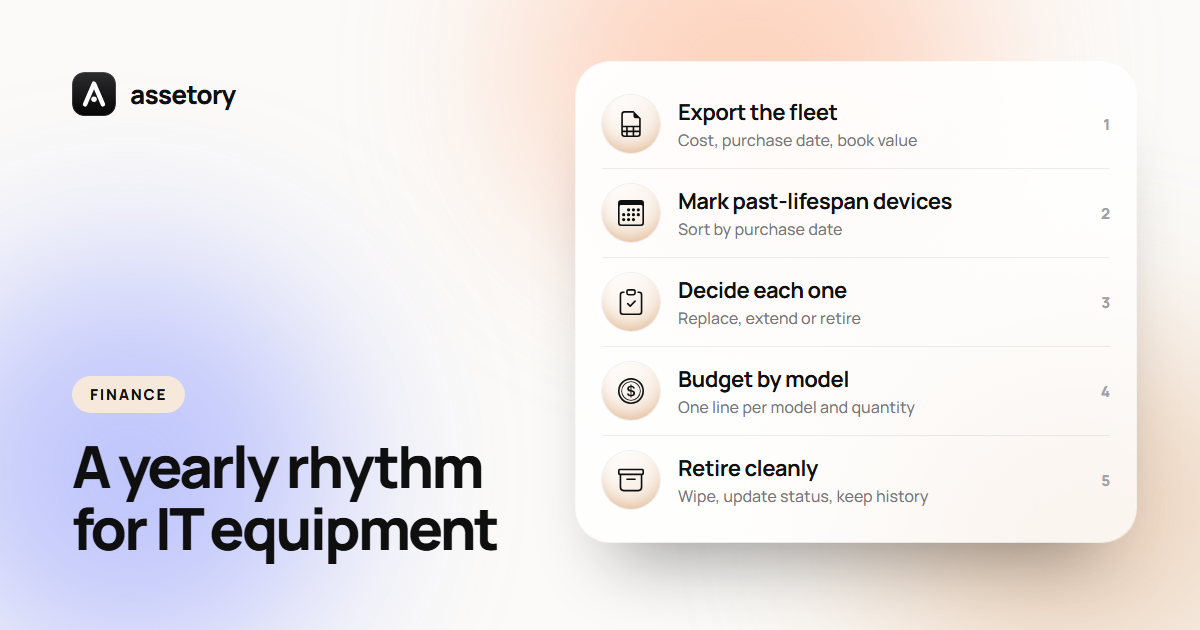
- Export the current list with cost, purchase date and book value.
- Sort by purchase date and mark every device past its planned lifespan.
- For each, decide: replace, extend with a reason, or retire.
- Turn the replace list into next year's budget request, grouped by model.
- Update the status of retired devices so they leave the active fleet.
What to show finance
Finance rarely wants a list of serial numbers. Bring three numbers: the current book value of the fleet, the number of devices already at their floor, and the replacement cost for the devices that will reach it in the next twelve months. Grouping by model makes the request easy to approve, because each line is a quantity and a unit price rather than a debate about individual machines.
Done every year, this takes an afternoon. Done only when something breaks, it takes a crisis.
Common questions about depreciation and end of life
Is depreciation the same as how long a laptop lasts?
No. Depreciation is an accounting schedule that spreads cost over a chosen period. A laptop can last far longer than its schedule, or fail earlier. Treat the schedule as your planning assumption and the end-of-life date as your decision about when to replace.
Should every device in the fleet use the same schedule?
Group by model or category instead. Laptops, phones, monitors and servers wear out at different speeds, so one rule for all of them hides the very differences you want to see. A handful of schedules is enough for most companies.
What do we do with devices that are fully depreciated but still working?
Keep using them if they are reliable, but flag them for the next budget cycle. A device at its floor value costs nothing on paper, yet it still carries risk: no warranty, no updates, and a higher chance of failing at a bad moment.
Who should own the depreciation numbers?
Finance owns the rules and IT owns the data. Agree the schedules together once a year, record them in the asset system, and let the system do the calculation so both teams are reading the same figures.
What happens to the numbers if the purchase cost changes?
If an invoice is corrected or a discount is applied later, update the cost on the asset record. Book value is calculated from the cost and the purchase date, so a corrected cost flows through to every report without you recalculating anything by hand.
How do we handle upgrades such as extra memory?
Decide a policy and apply it consistently. Small upgrades are usually treated as running costs, while a major upgrade that extends the life of the device may be added to its cost. Ask your accountant which approach they expect, and write the decision down.
Want to see this in practice? Explore Depreciation in Assetory, or book a demo.