Nobody thinks of an asset register as a privacy risk until they look at it properly. It holds names, work emails, phone numbers and addresses, and it links each person to the equipment they use. That is personal data, and it deserves the same care as an HR file.
If you work in India, the Digital Personal Data Protection Act, 2023 puts the same idea into law: collect only the personal data you need, protect it with reasonable safeguards, and delete it when it is no longer needed. An asset register is a good place to check that you do.
What counts as personal data in an asset register
Most teams are surprised by how much their register knows. The obvious fields are a person's name, work email and phone number. Less obvious is what the links between records reveal: which laptop belongs to which person, where they sit, which software they use, and when they handed a device back. A free-text notes field can hold anything at all, from a home address to a remark about someone's health.
List what you actually store. Walk through a typical person record and a typical asset record and mark each field that identifies someone, directly or in combination with another field. That list becomes the map for everything that follows.
Start with who can see what
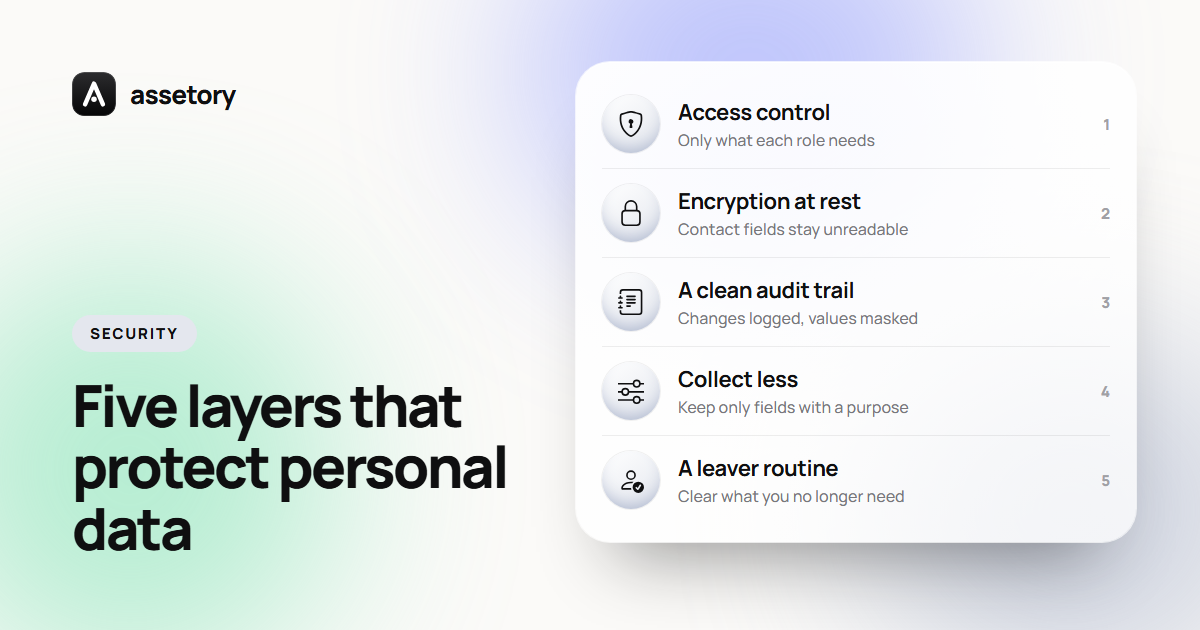
The cheapest protection is access control. Most people who touch an asset system need a narrow slice of it: a technician needs devices, a manager needs their team, an auditor needs read access. Give each person only what their job needs and review the list when roles change.
- Use permissions to separate viewing from editing, and editing from deleting.
- Keep the number of full administrators small and named.
- If you run several companies or subsidiaries, keep their data apart instead of trusting people to ignore each other.
- Turn on two-factor authentication for anyone with broad access.
Collect less in the first place
The safest piece of personal data is the one you never stored. Before adding a field to a person or asset record, name the decision it supports. If the answer is "we might need it one day", leave it out. A work email and a department are usually enough to hand over a laptop. A home address, a personal phone number or a date of birth rarely are.
Free-text fields deserve a rule of their own. Tell people what belongs in a note (condition of the device, a repair reference) and what does not (anything about the person). A short sentence on the form does more than a policy document nobody opens.
Encrypt what you cannot afford to leak
Access control protects the application. Encryption protects the data if something around the application fails, such as a stolen database dump or a misplaced backup file. Contact details are the obvious candidates, because they are the fields an attacker can actually use.
Encryption has a cost you should plan for. An encrypted column cannot be searched with a partial match or sorted alphabetically, so decide which fields really need it and keep searchable work fields, such as names and employee numbers, usable.
Keep a trail, and keep the trail clean
When something goes wrong you need to answer three questions fast: who changed it, what was it before, and when. An activity log gives you that. But a log is also a copy of your data, so it can quietly become the weakest place in the system.
A log is also a copy of your data, so it can quietly become the weakest place in the system.
Check that your log records that a personal field changed without writing the old and new values into plain text. Otherwise you have encrypted the table and then published its contents in the history.
What the DPDP Act means for an asset register
You do not need to be a lawyer to apply the main ideas. Treat them as four questions you can ask of any register.
- Purpose: do you know why each personal field is stored, and is that reason written down?
- Safeguards: are access limits, encryption and backups in place at a level you could explain to a regulator?
- Retention: is personal data removed or anonymised once the reason for keeping it has ended?
- Requests and incidents: could you find, correct or erase one person's data quickly, and would you notice if something leaked?
The Act also has specific provisions for personal data used for employment, so ask your legal adviser how they apply to the records you keep about staff. This article is general guidance, not legal advice.
People leave, their data should not linger
An asset register tends to keep a person's name attached to old assignments for years. History is useful, because you need to know who held a laptop last spring. But you rarely need their phone number or address once they have left. Decide what the register keeps for former staff, for how long, and who is responsible for clearing the rest. Put that step in your offboarding checklist so it happens every time.
A short review you can do this month
- List who has administrator rights and remove anyone who no longer needs them.
- Check that former employees have no active accounts and that their assets are checked in.
- Decide which personal fields you really need to store, and delete the rest.
- Ask where exports and backups are kept, and who can open them.
- Read a sample of recent log entries and confirm they contain no personal values.
None of this needs a project. It needs an hour, a list of people, and the habit of asking what each field is for.
Common questions about personal data in asset systems
Is a work email address personal data?
Yes. If it identifies a person, it is personal data, whether it is a work or a private address. Treat it with the same care as any other contact detail.
Do we need consent from staff to record who holds a laptop?
Recording equipment assignments is part of running the business, but you should still tell people what you store and why, usually in your staff privacy notice. Ask your legal adviser how the Act applies to employment records in your case.
How long should we keep records of former employees?
Keep the asset history for as long as you need it for audits and finance, and remove the personal details you no longer need. Agree the period with your legal and finance teams and write it down.
Want to see this in practice? Explore Activity log in Assetory, or book a demo.